
We customized the delivery plan last week, today we will see a bit more customization options
Open Delivery Plan
Navigation:- [Organization_Name] → [Project_Name] → Boards → Delivery Plans
4. Apply styling rules:
We can use styling rules to highlight specific cards which match our rule
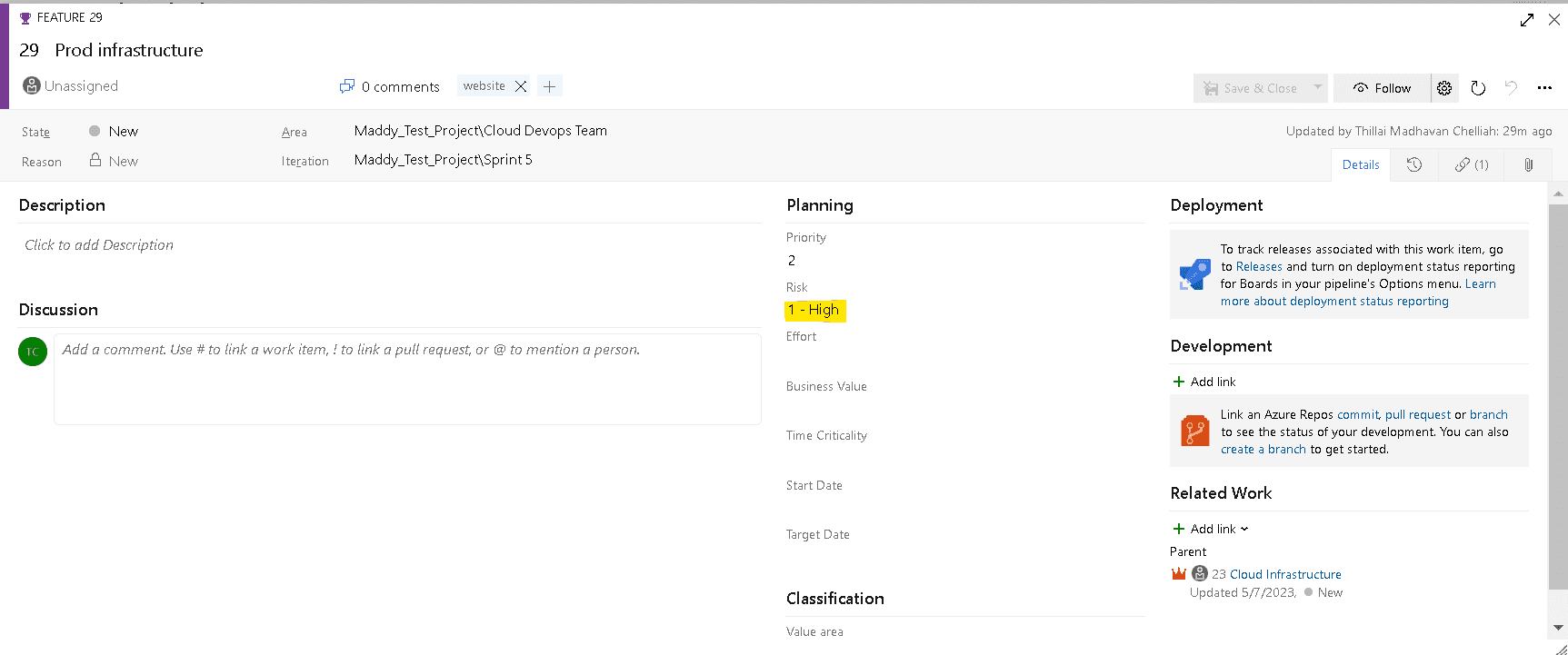
Let's say we want to highlight all the high-risk workitems in the delivery plan
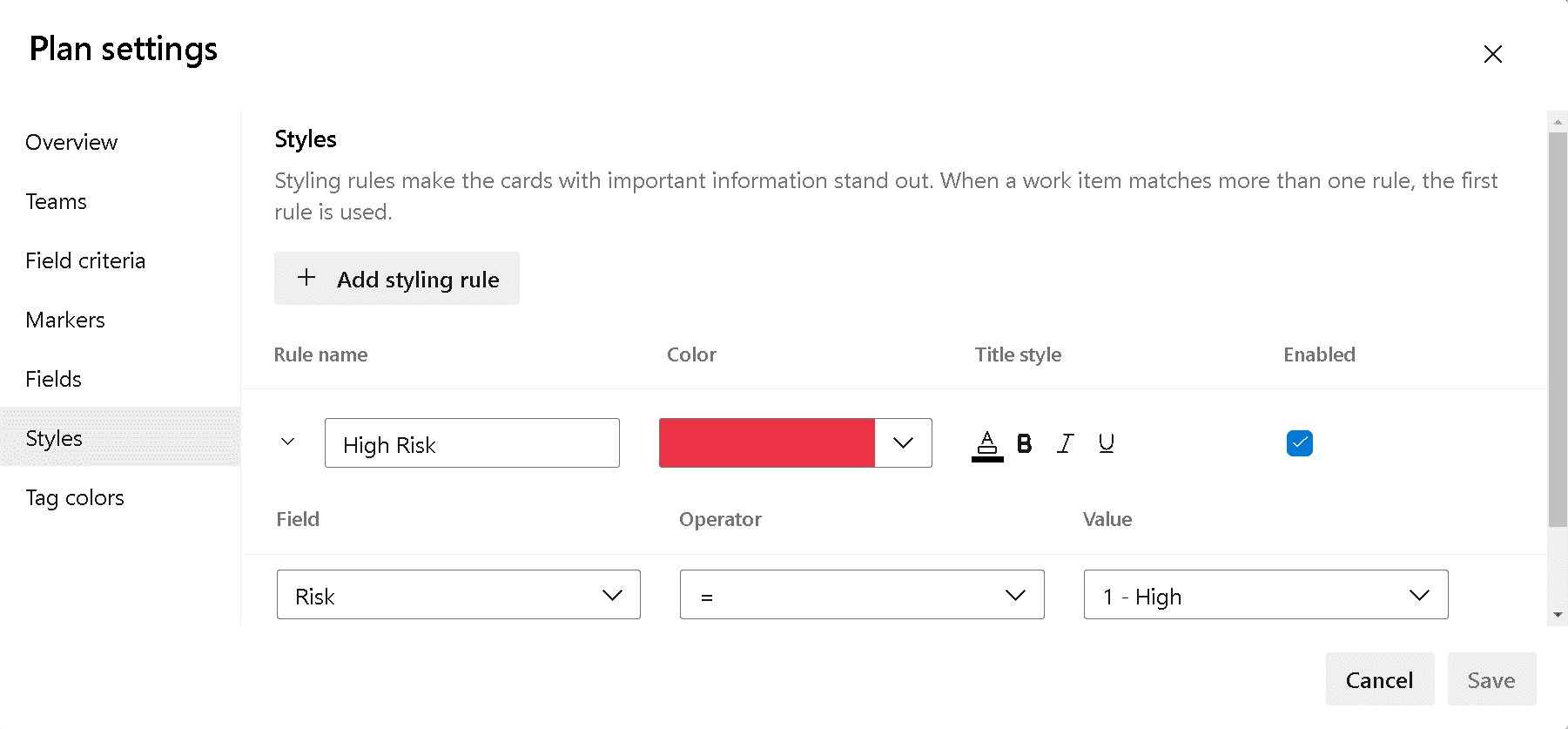
From the plan settings add a styling rule as given below
We will use the red color to highlight the high-risk work items
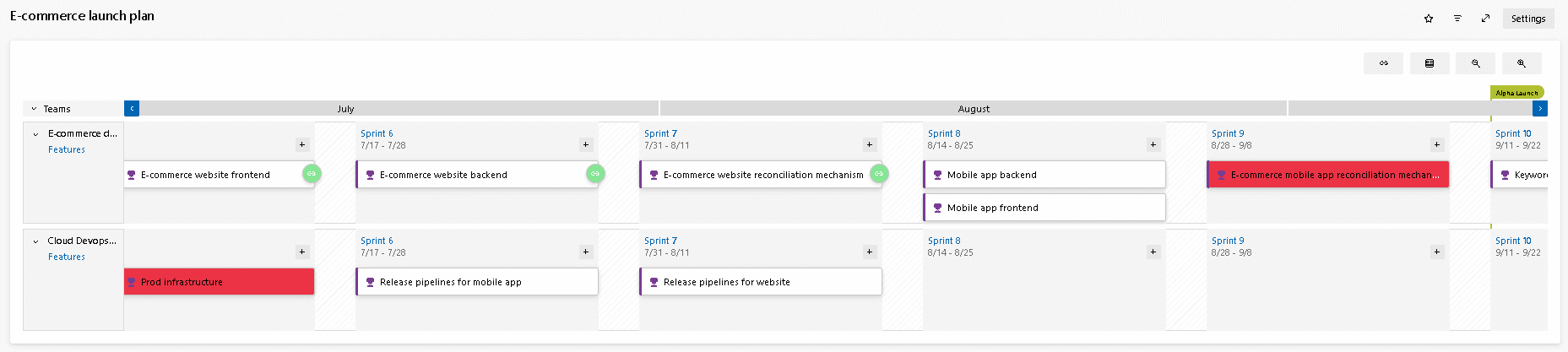
All the high-risk work items now standout with a red fill
5. Apply tag colors:
Tag colors can be applied to highlight specific tags
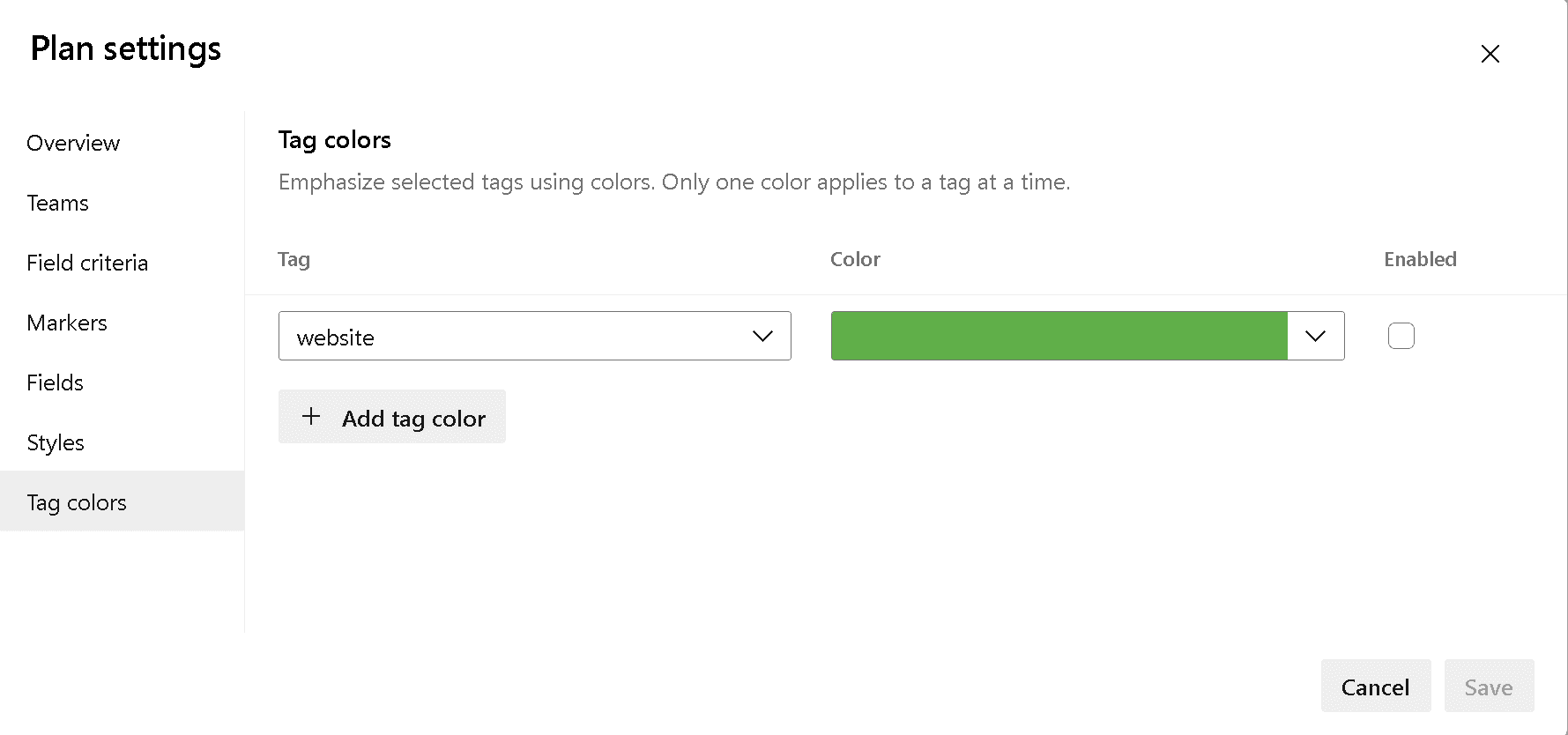
From the plan settings apply tag color as shown below
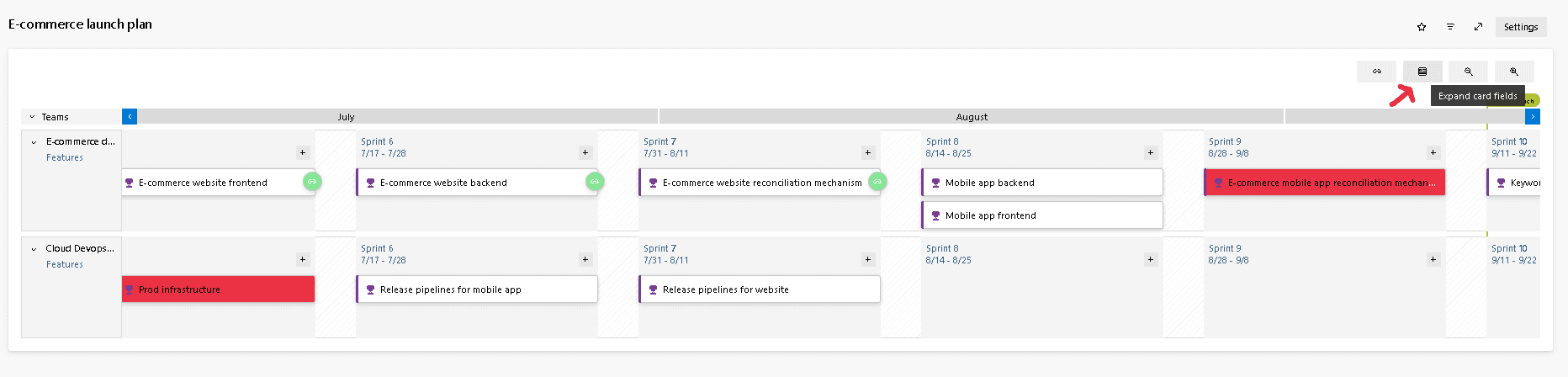
Click on "Expand Card Fields"
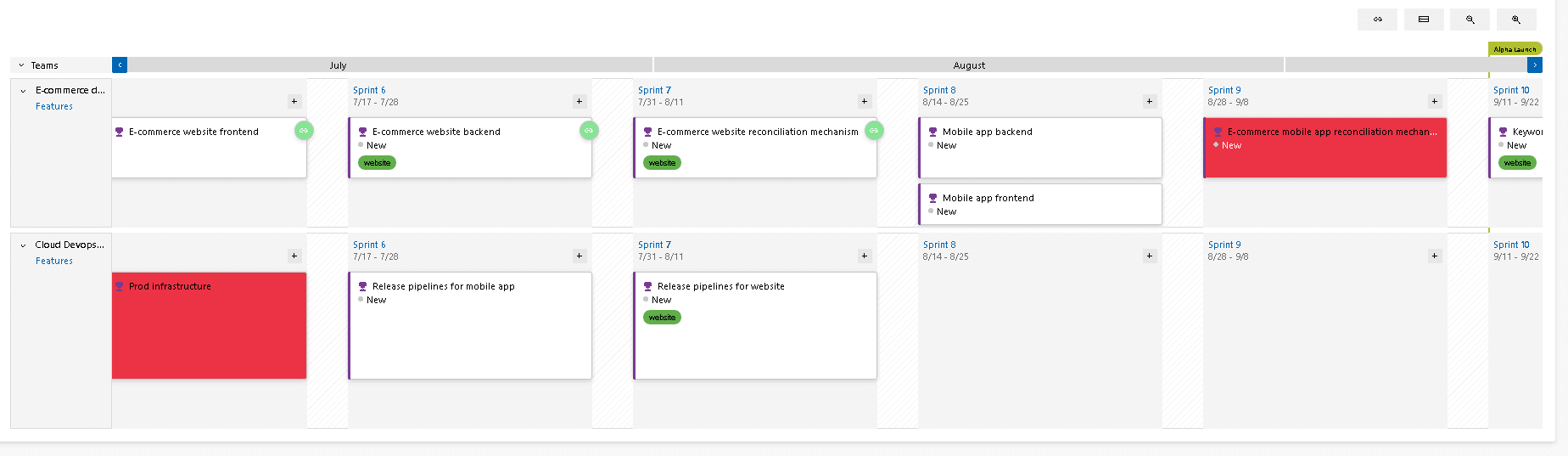
The tag "website" is highlighted in green
6. Add fields to be displayed on the cards:
Delivery plans are effective only if the underlying work items are updated regularly
How do we know if the work items are getting updated?
Changed date field will be updated when a work item is modified but this field is not available on the card
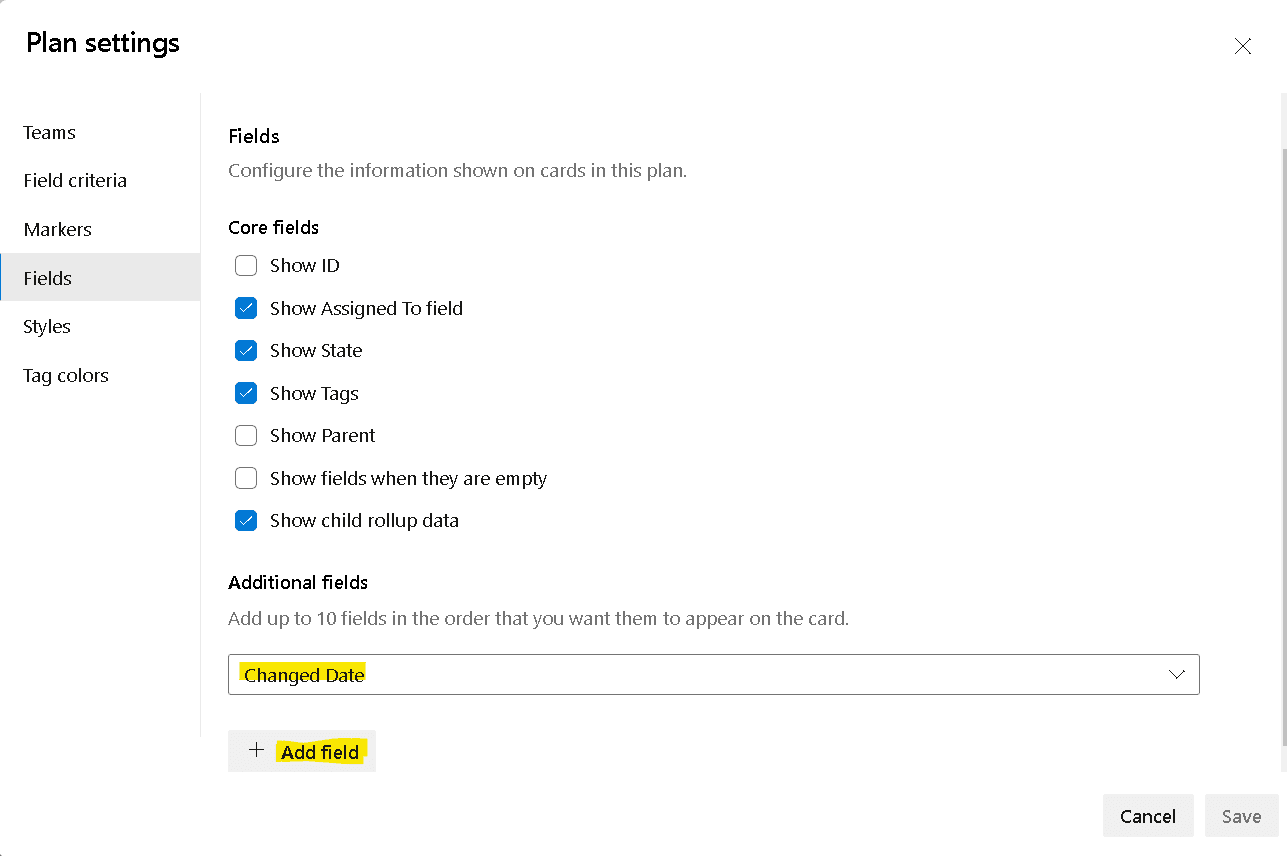
let's customize the card to include "Changed Date"
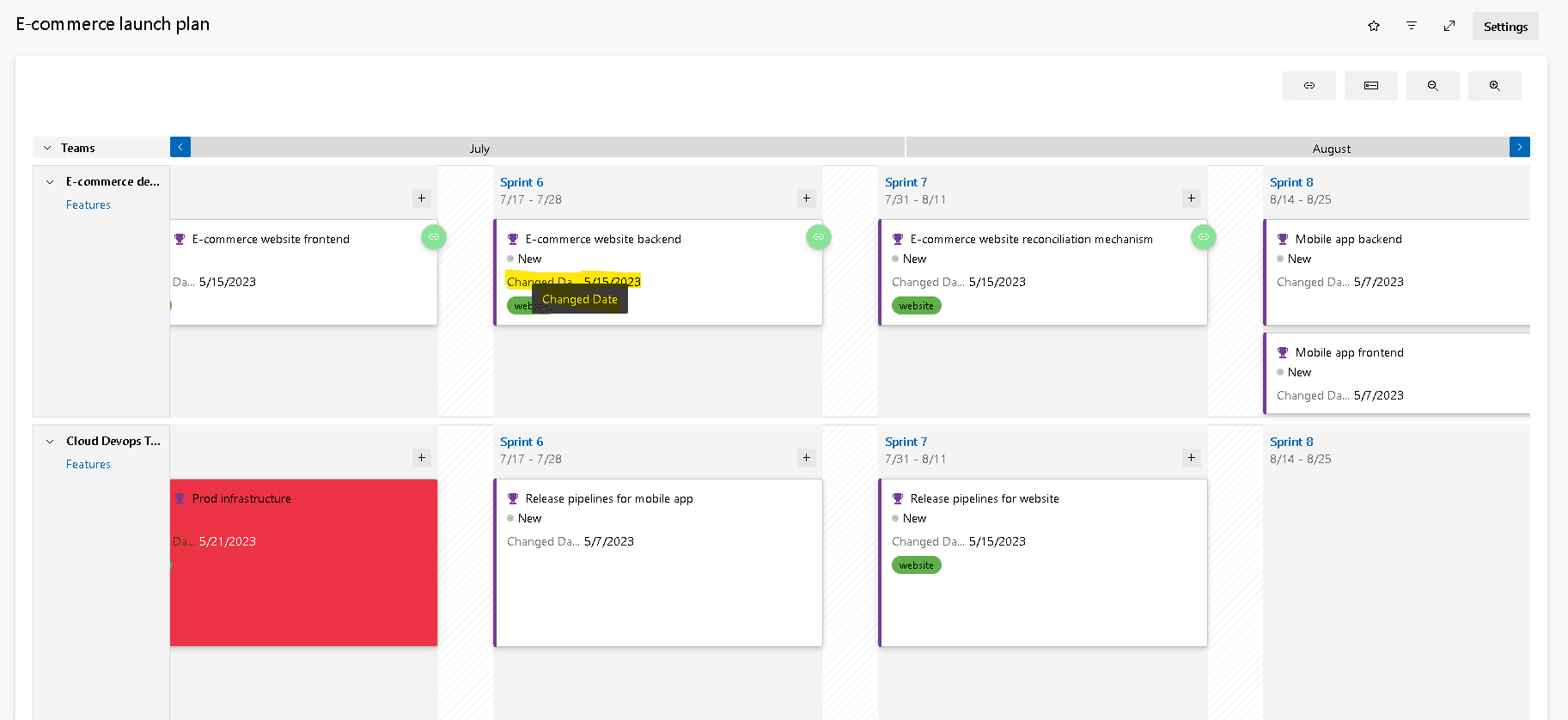
The "Changed Date" is now visible on the cards
Conclusion:
In three short articles, we discussed
- what is delivery plans in azure devops?
- How delivery plans can be used to track work across teams?
- what are all the customization options?
let me know if you are using delivery plans and how effective is it for you.