
A requirement for every release manager using Azure DevOps is the ability to track the changes flowing across different environments like pre-prod and prod
YAML pipelines don't have any comprehensive insights about the content of the release
Today, we will discuss how the Environments in Azure DevOps can be used to build traceability in releases
Traceability requirement for release management:
Release Managers usually want to track the following
- List of work items in a release
- List of commits/changes in a release
Let's create the required traceability in Azure DevOps
Create an environment:
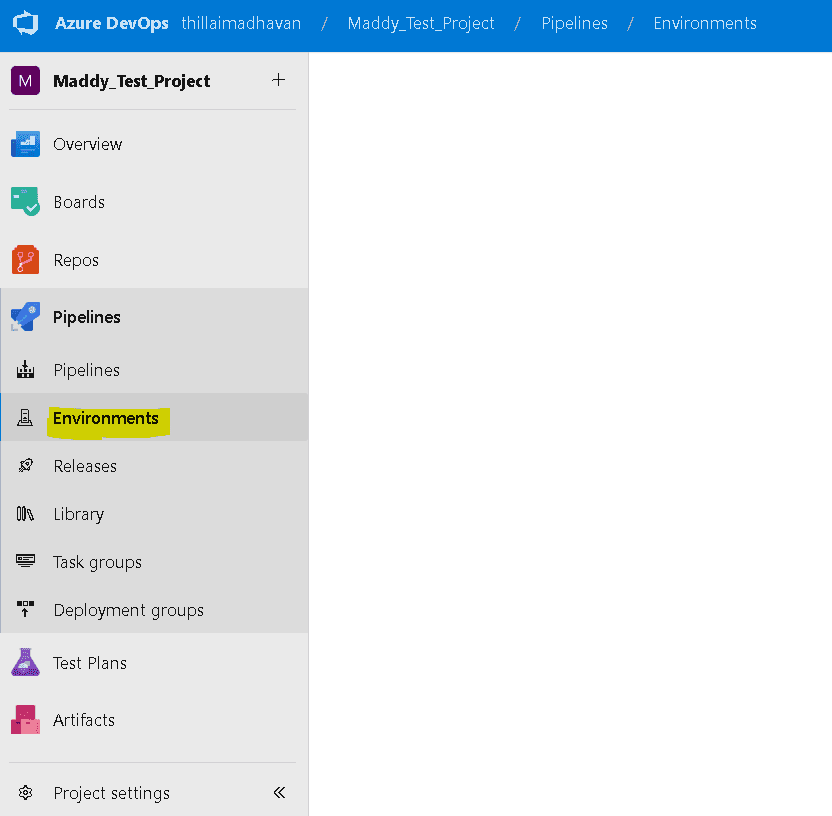
Navigate to Environments under pipelines
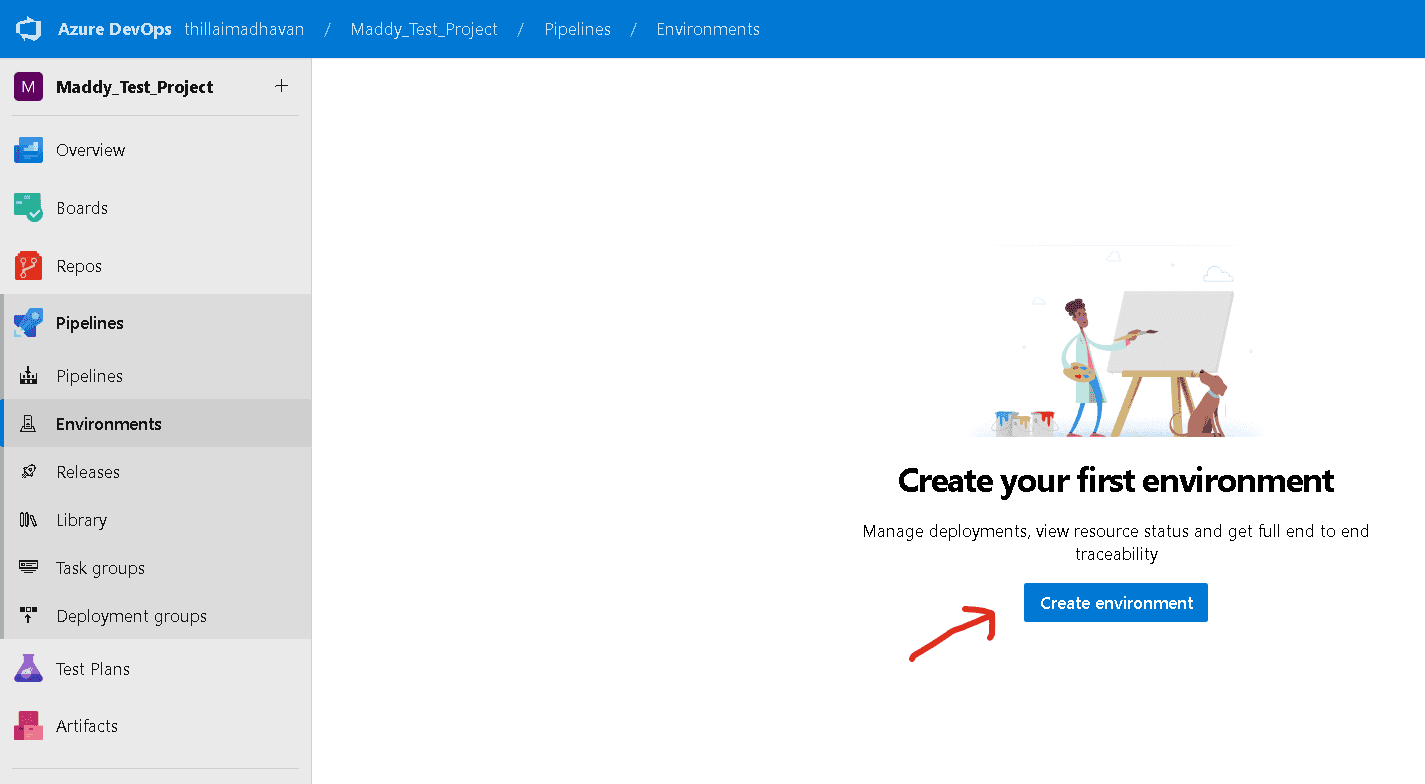
click on the "Create environment" button
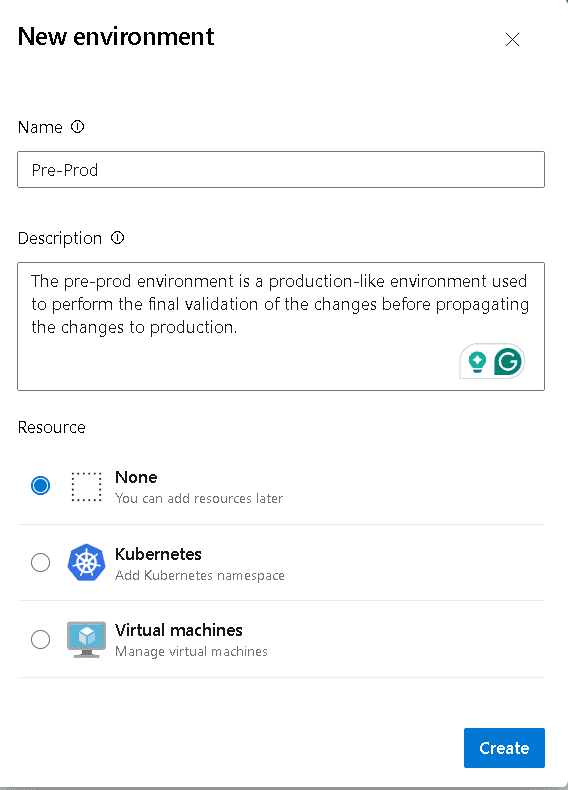
Provide the name and description of the environment.
under resources select none because we just need a logical environment for traceability.
Connect pipelines to the environment:
We need to modify the pipeline to associate with the environment.
perform the following:
- In the YAMl pipeline "environment: Pre-Prod" has to be added.
- Environment needs a special type of job called a "deployment job"
- the syntax will look similar to the below-given example
trigger:
- main

pool:
  vmImage: ubuntu-latest

stages:

- stage: Build
  jobs:
  - job:
    displayName: Build the application
    steps:
    - script: |
        echo your build steps here...

- stage: Deploy
  dependsOn:
  - Build
  jobs:
  - deployment:
    displayName: PreProd deploy
    environment: Pre-Prod
    strategy:
     runOnce:
       deploy:
         steps:
           - script: echo Deploying to preprod environment
             displayName: 'Dev to PreProd'
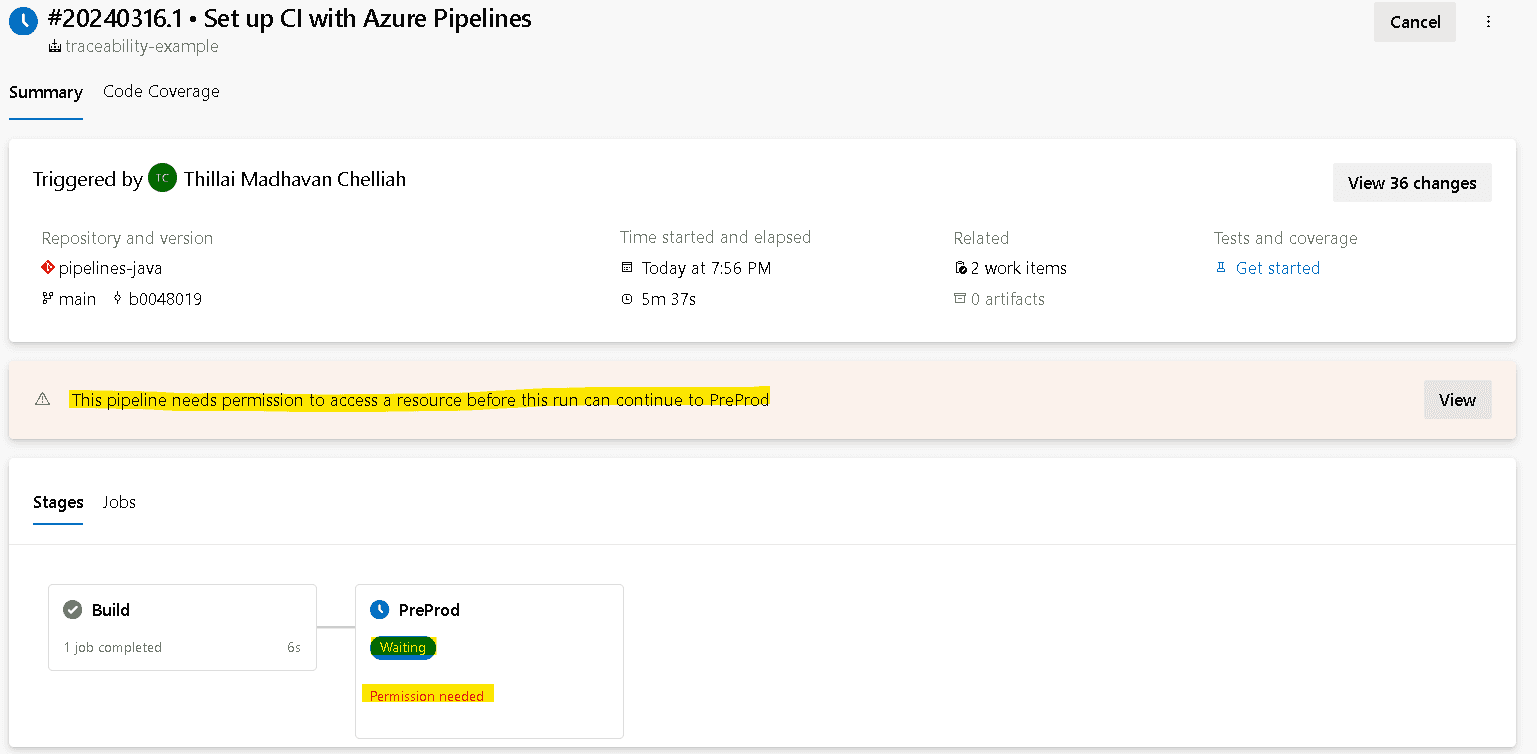
For the first-time deployment, the deploy stage will need permission to access the Environment Pre-Prod
Please provide the permissions
Test the traceability:
We will test the traceability,add a couple of changes to the project by creating pull requests.
Please note that we have added the associated work item while creating PRs.
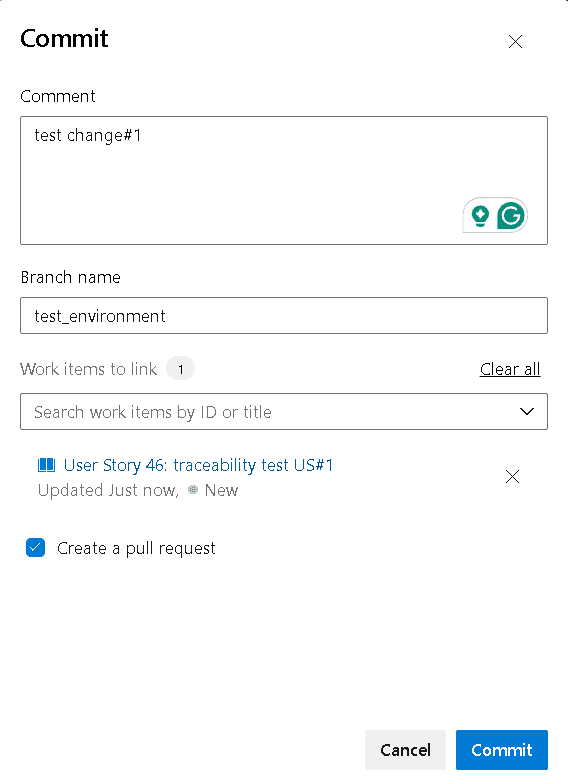
After the PRs are completed, navigate to Environments
click on Pre-Prod environment and then click on the latest run at the top of the list.
still, we couldn't trace any changes
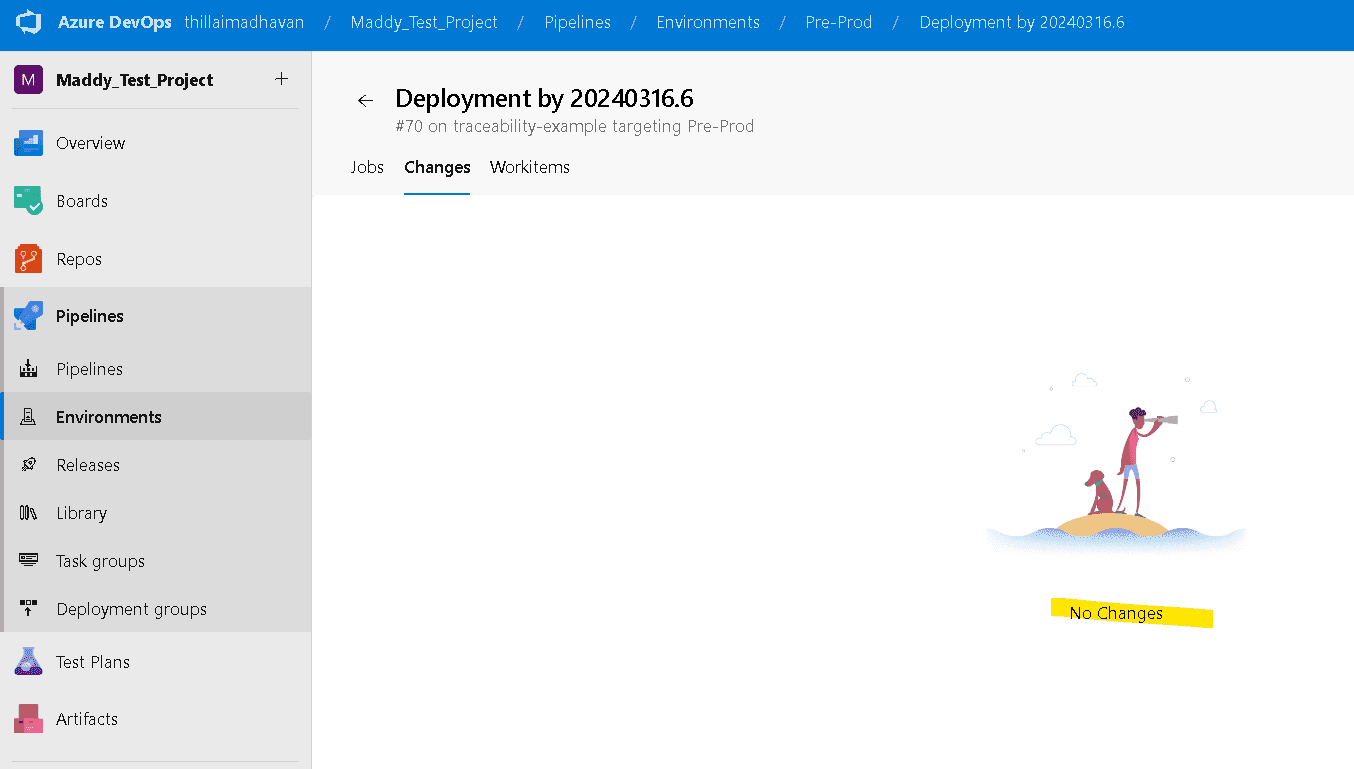
The traceability will work only if we publish artefacts in our pipeline.
The updated pipeline will look like below
trigger:
 - main

pool:
  vmImage: ubuntu-latest

stages:

- stage: Build
  jobs:
  - job:
    displayName: Build the application
    steps:
    - script: |
        echo your build steps here...
    - publish: $(System.DefaultWorkingDirectory)
      artifact: WebApp

- stage: PreProd
  dependsOn:
  - Build
  jobs:
  - deployment:
    displayName: PreProd deploy
    environment: Pre-Prod
    strategy:
     runOnce:
       deploy:
         steps:
           - download: current
             artifact: WebApp
           - script: echo Deploying to preprod environment
             displayName: 'Dev to PreProd'
We will repeat the testing by performing a couple of changes via PR and testing the traceability again.
After the PRs are completed, navigate to Environments
click on Pre-Prod environment and then click on the latest run at the top of the list.
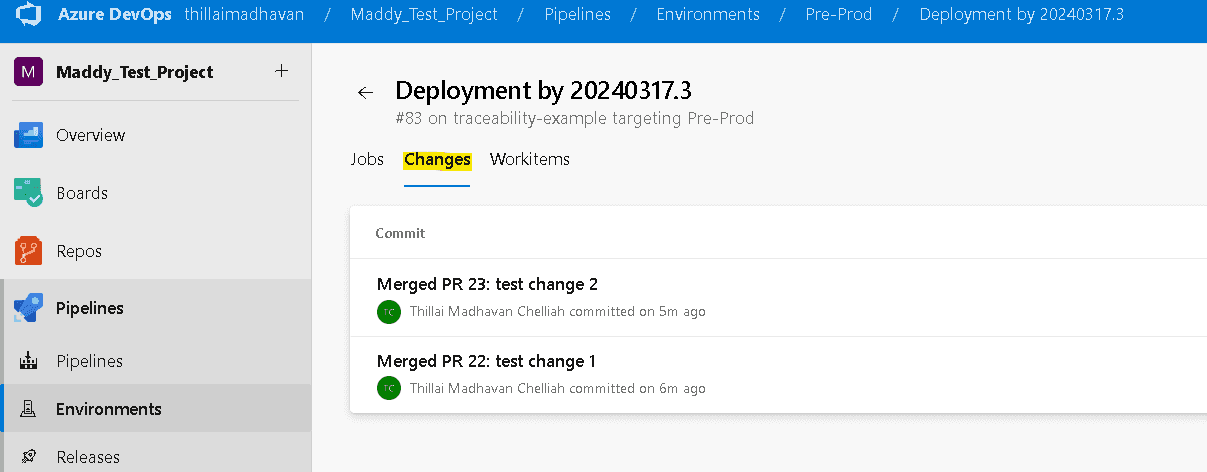
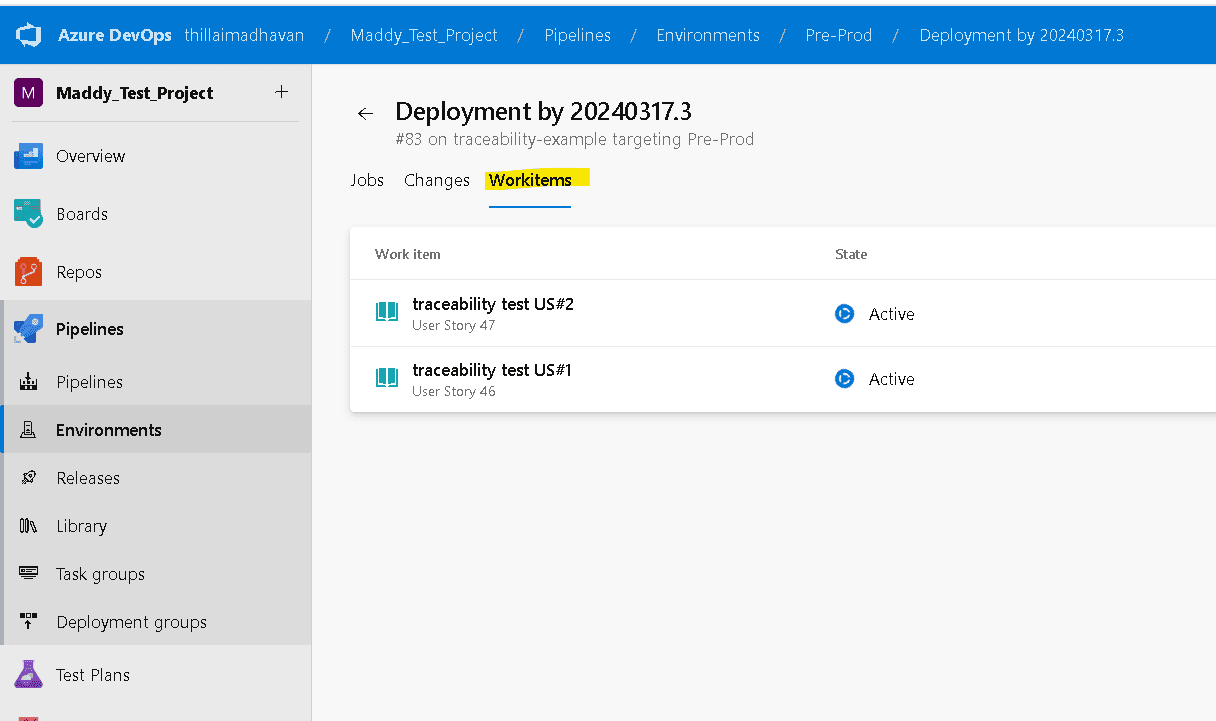
Now, we can see the changes in terms of commits and in terms of work items.
Summary:
The traceability provided by the environments help monitor and control the changes being deployed to a particular environment.
Thanks for reading, Goodbye until next week!